
Home inventory template: a spreadsheet or an app?
Most home inventories start as a spreadsheet: it's free, it's familiar and it takes a minute to open. That's a fine start. The trouble usually begins a month later, when the photos live in one place, the receipts in another, and nobody remembers to update the file.
Below is a simple template you can copy into any spreadsheet, how to fill it in, and an honest look at when a spreadsheet is enough and when an app saves you time.
The template: 10 columns worth keeping
Create a sheet with these column headers, in this order:
- Item — what it is: "Laptop", "Road bike".
- Place — where it lives, from big to small: "Home › Office › Desk drawer".
- Category — electronics, furniture, tools, kitchen, clothing.
- Quantity — for sets: chairs, glasses, tyres.
- Purchase date — the month is enough if you don't know the day.
- Price — what you paid, with the currency.
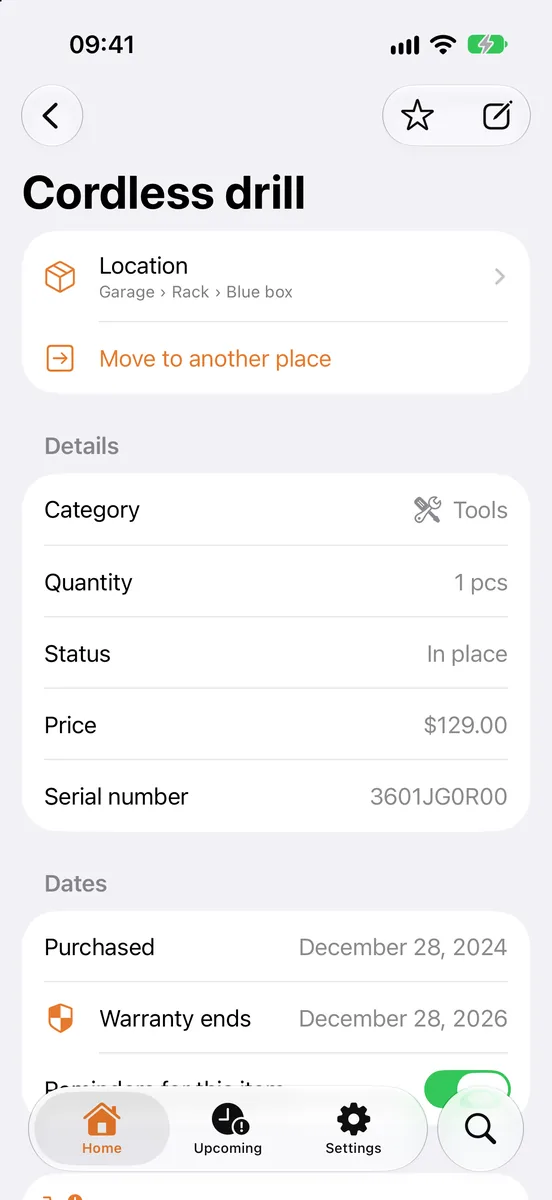
- Serial number — for electronics, appliances and tools.
- Warranty until — the end date, not the length.
- Photo — a link to the photo in your cloud storage.
- Note — model, colour, who it was lent to, anything else.
That's it. More columns look thorough, but they are the first thing people stop filling in.
How to fill it in without losing a weekend
- Go room by room. Finish one room before starting the next, so you always know what's done.
- Valuables first. Electronics, jewellery, bikes, tools, instruments. A spoon can wait forever.
- One row per item, one per set. Six identical chairs are one row with a quantity of 6.
- Write the place the same way every time. "Garage › Rack 2 › Blue box" is searchable; "the blue thing in the garage" isn't.
- Photograph the label too. The model and serial number are on it, and typing them from a photo is easier than from behind the TV.
What a spreadsheet does well
- It's free and works on any computer.
- You control every column and every formula.
- Totals are easy: a sum of the Price column is your rough household value.
- It's easy to send — to an insurer, a moving company or a family member.
If you need a list once — for a single insurance review or a single move — a spreadsheet may be all you need.
Where a spreadsheet starts to hurt
The problems show up when the inventory has to stay alive for years:
- Photos are separate. A link in a cell breaks when you reorganise your cloud folders.
- It's awkward on a phone. You add things when you buy them, standing in a shop or a hallway, not at a desk.
- No reminders. A warranty end date in a cell won't tell you anything before it expires.
- Two people, two copies. When a partner edits their own copy, you end up with two versions of the truth.
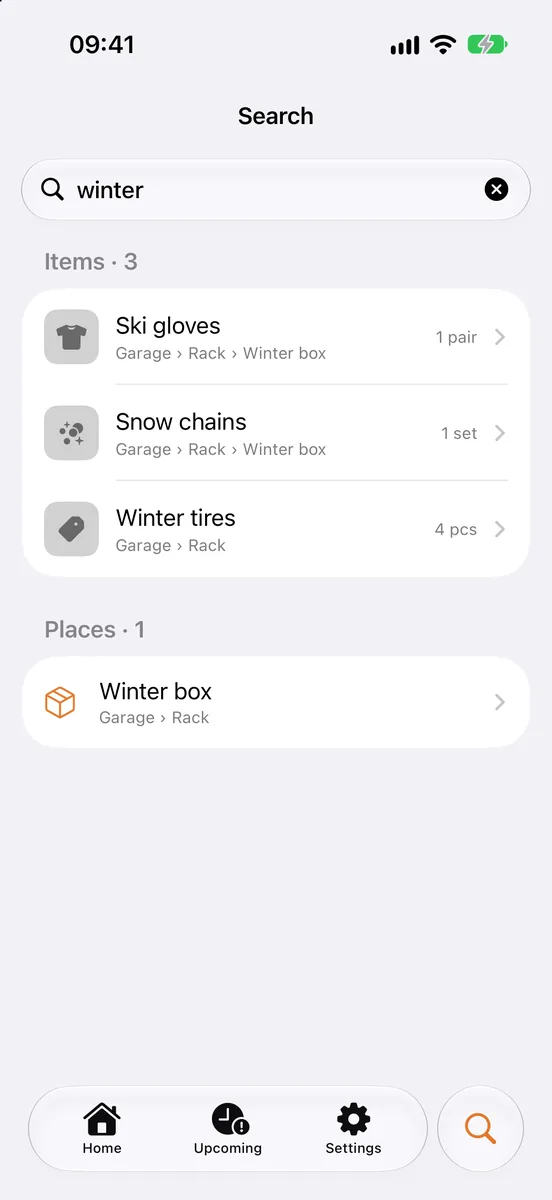
- Finding things is slow. Searching a sheet works at a desk, not when you're standing in the garage wondering which box.
Doing it with Stowkeep
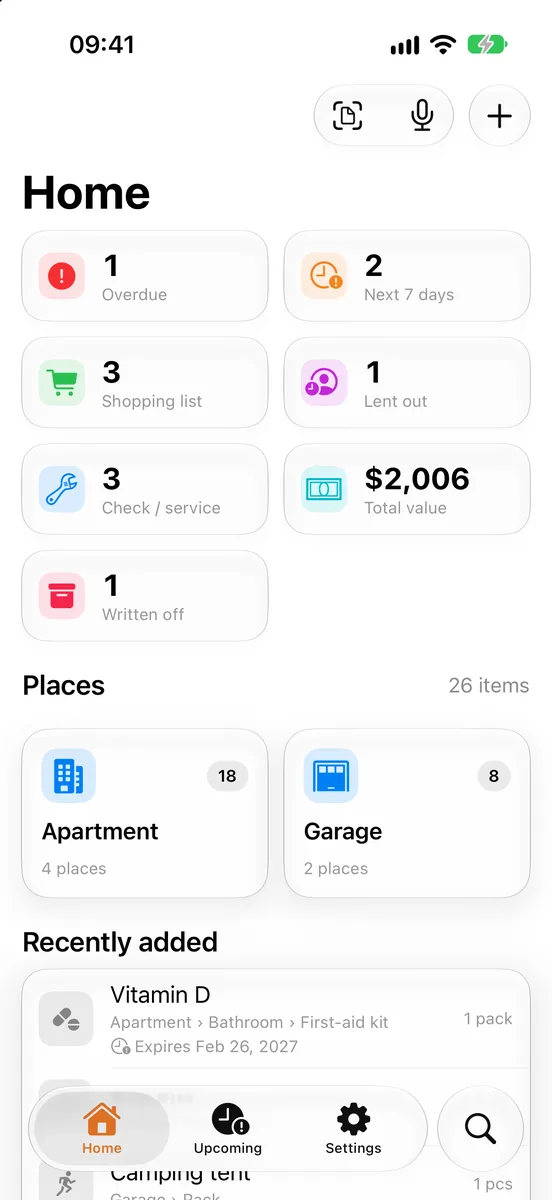
Stowkeep is a home inventory app for iPhone and Android that keeps the same structure as the template above — just on your phone.
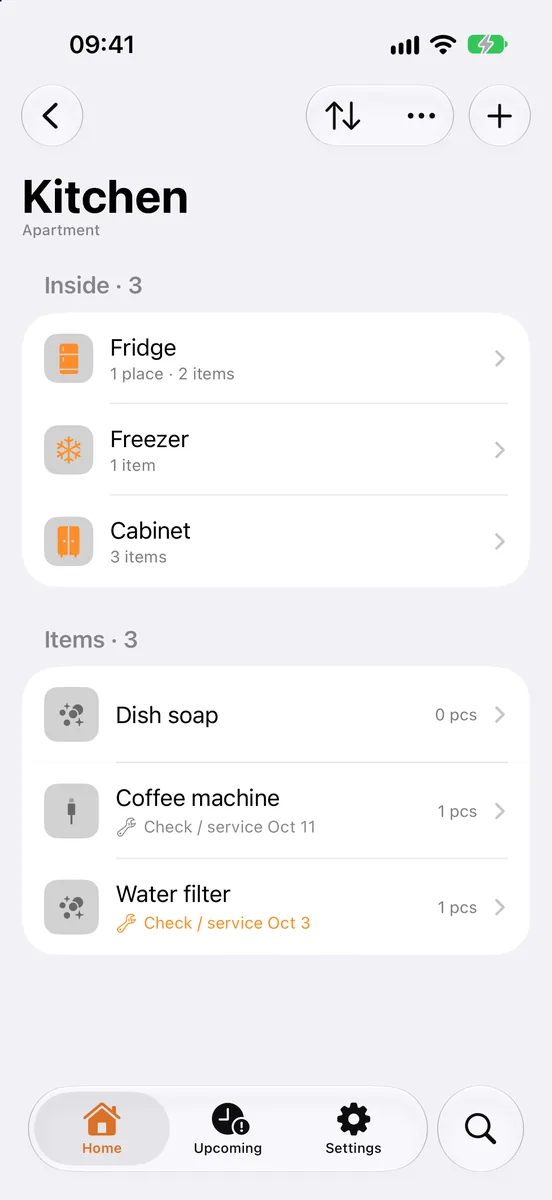
- Places as deep as you need: home › room › wardrobe › shelf › box. Search shows the full path to every item.
- Every item has a card with the same fields as the template: name, category, quantity, up to three photos, price, serial number, barcode, purchase date and warranty end date, plus a note.
- Faster than typing: scan a receipt or a whole shelf to add several items at once, or dictate them by voice.
- Reminders for warranty end dates and for checks and maintenance.
- Shared home: invite family or roommates, and everyone sees the same list instead of separate copies.
- Your spreadsheet whenever you want it: export everything, or only the places you choose, to CSV for Excel, Numbers or Google Sheets, or to PDF for an insurer. The file always has every field.
The first 30 places and 100 items are free, which is enough to try it on one room or all your valuables.
Quick checklist
- Copy the 10 columns into a new sheet.
- Go room by room, valuables first.
- One row per item or set; write places the same way.
- Photograph each item and its label.
- Keep a copy outside the house and update it after big purchases.
- If updating feels like a chore, move the list to your phone.
FAQ
This guide is general information, not insurance advice. Check your own policy for what it requires.
 How to make a home inventory for insuranceHow to make a home inventory your insurer will accept: what to record, photos, receipts and serial numbers, and how to keep it up to date in minutes.
 Moving inventory checklist: know what's in every boxA practical moving inventory checklist: number and label boxes, list what's inside, pack an essentials box and find anything after the move.
 Garage organization that stays organizedOrganize your garage in zones, label shelves and boxes, track tools you lend out and service dates — and find any item in seconds instead of searching.